Showing posts with label everything disc follow up reports. Show all posts

Thursday, March 07, 2013

Everything DiSC® Group Reports & Follow-Up Tools - Free 360 Feedback Profile Coaching Supplement

At a Glance
Organizations all over the world use 360 feedback profiles to provide personalized feedback to their leaders. Traditional 360 feedback profiles are known to be expensive, time-consuming to implement and difficult to understand. Everything DiSC® 363 for Leaders is a breath of fresh air, offering a detailed, but practical, 360 feedback approach that costs a fraction of the price. 

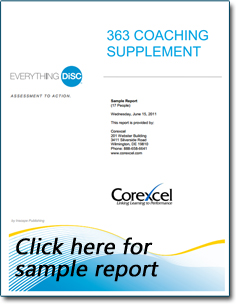
In addition to the 360 feedback profile every customer gets a complimentary 363 Coaching Supplement that provides an overview of the leader's performance scores and DiSC® style. This report helps the coach guide the leader through his/her feedback, ensuring your business gets the most out of your 360 feedback profiles.

Coaching Supplement Features 
  • DiSC Style Overview – Provides an overview of participant’s DiSC style according to their assessment answers
  • Performance Rating – Provides a visual representation of how raters scored the participant on each leadership approach
  • Participant Leadership Behavior – Table shows participant’s ratings in 24 leadership practices and how they compare to the norm
  • Participant Leadership Requests – Table shows what raters would like to see the participant improve on, across the same 24 leadership practices
  • 360 Feedback vs. DiSC Style – Shows your participants Unexpected and expected strengths and challenges based on his/her DiSC style
  • DiSC styles Overview – Brightly colored Everything DiSC circular map and characteristics of each DiSC style
Who's Using the Reports
Human resource managers, human resource directors, training facilitators, coaches, senior-level managers, managers, organizational development professionals and consultants.

360 feedback profile free coaching supplementSample Reports

Its Cost
Free with the purchase of an Everything DiSC 363 for Leaders assessment ($167.50)  

What People Are Saying About It
“I use the DiSC 360 feedback report to help my leaders get buy-in from the people around them. I did really appreciate the free coaching supplement. With other 360’s you’re usually on your own when it comes to interpreting results.”

“I thought the Coaching Supplement was really helpful. I like that it gives you leadership norms – I thought it helped highlight leader’s strengths.”

Thanks for catching our Everything DiSC group report & follow-up report blog series! We highlighted each of the Everything DiSC group reports and follow up reports that make Everything DiSC the BEST DiSC Profile system to use for your next training. For more information about Everything DiSC, check out our very first Everything DiSC blog post

Make sure you didn't miss any! 

Tuesday, January 29, 2013

Everything DiSC® Group Reports & Follow-Up Tools - Free Everything DiSC Supplement for Facilitators


At a Glance

The Everything DiSC Supplement for Facilitators is a free DiSC report that can be generated off of any Everything DiSC profile (including WorkplaceSalesManagementWork of Leaders and 363 for Leaders). 

This free Supplement for Facilitators report is a quick and easy review of your participants' DiSC style but takes it a step further by providing both the participant's scores in each of the DiSC styles and their unexpected characteristics. This information will help you ask better interview questions with potential hires and conduct more meaningful discussions with employees as you explore aspects of participants' personality that may not be consistent with their primary or secondary DiSC style.

Report Features
  • DiSC Scales – The participant’s “umbrella graph” shows their scores across the eight different DiSC scales, a visual representation of how invested the participant is in each DiSC personality style.
  • Unexpected Items – This portion of the report shows your participant’s unexpected behaviors (based on their answers and their DiSC style). For example, if your participant’s DiSC style is an iS, but they mentioned an attention to detail as an important aspect of their behavioral style.
  • Priority Sub-scales – The bar graph shows you the participant’s scores in each of the eight priority sub-scales. This allows you to see how important each of the priorities are to your participant.
  • Definitions & Frequently Asked Questions – The last page of the report includes definitions of frequently used DiSC verbiage and FAQ’s about the report. 


Who's Using the Reports
Human resources managers, training facilitators, coaches, managers, organizational development professionals and consultants.

Its Cost
FREE with EPIC Account

Generating the Report
This report is available to ALL EPIC Account Holders using the Everything DiSC® profiles. An Everything DiSC Supplement for Facilitators can be generated off of any of the Everything DiSC profiles

EPIC Users: Click on “Manage Reports \ View Completion Reports” and use Search Criteria to pull up the profile you want to generate. You’ll be given the option to print off both the profile and Supplement for Facilitators or each of them by themselves.

Sample Reports

What People Are Saying About It
“I switched from the original DiSC Profile to Everything DiSC for Workplace to help with my interview process. I noticed that not only do I receive more information on the candidate, but the Supplement for Facilitators report provides some really interesting data that I make sure to bring up in my interviews."

“I use the Comparison Reports and Supplement for Facilitators reports during my mentor sessions with my employees. The supplement report helps us find some common ground that we may have not known about before.”

Need to catch up?
We're highlighting each of the Everything DiSC group reports & follow-up reports that make Everything DiSC the BEST DiSC Profile System to use for your next training.


Wednesday, January 16, 2013

Everything DiSC® Group Reports & Follow-Up Tools - Free Everything DiSC Sales Customer Interaction Map


At a Glance
Each Everything DiSC® Sales Profile comes with unlimited access to free Everything DiSC Customer Interaction Maps, designed to help your sales team put DiSC to good use, even long after training.  

Participants receive access to their Everything DiSC Follow Up Activities portal , where they can create new customer interaction maps and review existing profiles at any time. Your team does NOT need to know anything about DiSC to create the reports. They’ll just enter their customer’s name, answer a few questions and a personalized report on how to sell to that customer will be automatically generated for them and saved to their personalized portal. 

The Everything DiSC Sales & follow-up reports improve your sales team’s effectiveness by helping them understand their DiSC style, identify customers' styles, and adapt their sales approach to meet customers’ needs. 

Website Features
  • 24/7 Access to Participant's Everything DiSC Sales Profile (if  made available to them)
  • Create Free, unlimited Customer Interaction Maps in just minutes
  • 24/7 Access to previously generated Customer Interaction Maps
  • Bookmark Capability 

Report Features
  • Everything DiSC Circular Map – Both DiSC styles are plotted on the map to provide a visual representation of their DiSC styles and distance from one another.
  • Priorities Comparison – This section lists your customers’ priorities from your perspective.
  • Strategies for Interaction – Each Customer Interaction Map will include three strategies for successful interaction with your customer. Strategies will vary, depending on customer’s DiSC style, truly providing a unique, personalized report. 

Who's Using the Reports
Anyone in some type of sales role, including salespeople, sales leaders, sales trainers and sales managers. 

Its Cost
FREE with the purchase of Everything DiSC Sales profile.

Generating the Report
This report is available to anyone using the Everything DiSC Sales profile. 

EPIC Users: Click on “Create a New Report/Issue Access Code” and select Everything DiSC as the product family and Everything DiSC Sales Profile as the product. You'll be prompted to "enable Follow-Up Activity option for the Report." Get started.

Sample Reports
“I’ve received some awesome feedback from our sales team about the customer interaction maps. Some of my employees have pointed out to me that the maps help them with even the most difficult customers.”

“I have to say I love the Everything DiSC Sales profile because it tells me my DiSC style and how to sell to customers of every DiSC style. I’ve made creating Customer Interaction Maps a part of my customer research and prep. routine. It only takes a few minutes, so I answer the questions, name the report and can review it before I talk to them.”


Need to catch up?
We're highlighting each of the Everything DiSC group reports & follow-up reports that make Everything DiSC the BEST DiSC Profile System to use for your next training.

Week 1 - About Everything DiSC
Week 2 - Everything DiSC Group Culture Report
Week 3 - Everything DiSC Team View
Week 4 - Everything DiSC Facilitator Report
Week 5 - Everything DiSC Comparison Reports

Wednesday, November 28, 2012

Everything DiSC® Group Reports & Follow Up Tools - Everything DiSC® Facilitator Report


At a Glance
The Everything DiSC® Facilitator Report is similar to the Everything DiSC Group Report in that it provides you with a detailed view of your group’s DiSC styles. Additionally, this report also includes the names and styles of each team member. The report gets its name because many training facilitators use it to prepare for a training group and maintain team member engagement throughout the program. This report also helps managers effectively lead their team while keeping the bigger picture in mind.

Report Features
  • Your DiSC Culture – This section explores the DiSC culture of your group, including two group maps that show each group member’s dot on the Everything DiSC Map (one by primary style and the other by primary & secondary). This explains DiSC culture and includes a breakdown of the percentage of group members who represent each of the DiSC styles.
  • The D Culture - The D Culture describes Dominance which is characterized by quick decisions, direct answers, and a competitive atmosphere. It identifies the qualities that are encouraged and frowned upon in the D culture. Lists group members who fall in the D region and provides issues to consider in a D culture. 
  • The i Culture - The i Culture describes Influence which is characterized by an energetic, passionate, and optimistic atmosphere. It lists the qualities that are encouraged and frowned upon in the i culture. Lists group members who fall in the i region and provides issues to consider in an i culture. 
  • The S Culture - The S Culture describes Steadiness which is characterized by stability, collaboration, and friendliness. It identifies the qualities that are encouraged and frowned upon in the S culture. Lists group members who fall in the S region and provides issues to consider in a S culture. 
  • The C Culture - The C Culture describes the Conscientiousness which is characterized by a focus on quality, accuracy, and order. It indicates the qualities that are encouraged and frowned upon in the C culture. Lists group members who fall in the C region and provides issues to consider in a C culture. 
  • Data Summary – Cheat sheet that allows you to quickly identify group members’ DiSC styles. 
  • Small-Group Bonus Pages – Quick Reference Chart available to groups of 16 or less. Group Map with Names is available to groups of 26 or less.
Who’s Using It
Human resources managers, training facilitators, coaches, managers, organizational development professionals and consultants.


Generating the Report
This report is available to everyone using the Everything DiSC Profiles. An Everything DiSC Facilitator Report can be generated once 3 or more participants have taken any of the Everything DiSC profiles (including Workplace, Sales, Management, Work of Leaders and 363 for Leaders). 

EPIC Users: Click on “Create a New Report/Issue Access Code” and select Everything DiSC as the product family and Everything DiSC Facilitator Report as the product. You’ll be prompted to select the participants you’d like to be included in the report. This report can include as many participants as you’d like, as long as they have completed one of the Everything DiSC profiles (including Workplace, Sales, Management, Work of Leaders and 363 for Leaders).

Sample Report
Everything DiSC Facilitator Report

What People Are Saying

“I never conduct a DiSC training program without running the Everything DiSC Facilitator Report. It gives me everyone’s DiSC style in my group so that I can customize the program. For example, C styles may be less interested in working as groups as i Styles would.”

“I typically generate both the Everything DiSC Group Culture and Everything DiSC Facilitator Report for each group. I usually share the group report with my team and keep the facilitator report for me as a reference."

Need to catch up?
We're highlighting each of the Everything DiSC group reports & follow-up reports that make Everything DiSC the BEST DiSC Profile System to use for your next training.

Week 1 - About Everything DiSC
Week 2 - Everything DiSC Group Culture Report
Week 3 - Everything DiSC Team View

Thursday, November 15, 2012

Everything DiSC® Group Reports & Follow Up Tools - Everything DiSC® Team View


At a Glance

The Everything DiSC® Team View provides an at-a-glance view of your group’s DiSC styles. This report is FREE for all EPIC account owners. You can create as many Team View reports as you'd like with as many participants as you'd like!

Report Features


  • Participant names and their coordinating DiSC style located on brightly colored Everything DiSC Circular Maps.
  • Unlimited number of participants 
Who’s Using It
Human resources managers, training facilitators, coaches, managers, organizational development professionals and consultants.

It’s Cost
FREE for all EPIC Users.

Generating the Report
EPIC Users: Click on “Create a New Report/Issue Access Code” and select Everything DiSC as the product family and Everything DiSC Team View as the product. You’ll be prompted to select the participants you’d like to be included in the report. This report can include as many participants as you’d like, as long as they have completed one of the Everything DiSC Profiles (Workplace, Sales, Management, Work of Leaders and 363 for Leaders).

Sample Report
Everything DiSC Team View

What People Are Saying About It

I run the Everything DiSC Team View for each of my departments. After each manager and their staff have taken profiles, I generate a Team View for myself. It gives me just enough information that I need. It's free, so why not?" 

“I usually use the Everything DiSC Team View as visual representation of our DiSC styles in my training programs. Since we have a small group, everyone is comfortable with each other knowing what their style is, so I print it out and post it on the whiteboard.”

Need to catch up?
We're highlighting each of the Everything DiSC group reports & follow-up reports that make Everything DiSC the BEST DiSC Profile System to use for your next training.

Thursday, November 01, 2012

Everything DiSC® Group Reports & Follow Up Tools - Everything DiSC® Group Culture Report

Need to catch up? - Click here for our FIRST post.

At a Glance
As a manager, it is your job to ensure your team is a well-oiled machine: working together, seamlessly, to produce results. In order to do this, you need to know what makes up each valuable part of your group; the Everything DiSC® Group Culture Report does just that.

The Everything DiSC Group Culture Report answers important questions like:
  • What is the DiSC style of my group?
  • What are the advantages and disadvantages of our group culture?
  • How does the group culture affect the other team members?
  • How does this group culture influence everyday tasks like projects, discussions and decision-making?
Report Features
  • IntroductionThe Introduction answers the questions “Why is group culture important?” and “Where does group culture come from?” as it explores the origins of your culture
  • Your DiSC® Culture – This section explores the DiSC culture of your group, containing a graphic that shows the distribution of DiSC styles in your group. A bar chart helps you understand what your group members value most.
  • The D Culture - The D Culture describes Dominance which is characterized by quick decisions, direct answers, and a competitive atmosphere. It identifies the qualities that are encouraged and frowned upon in the D culture. It also describes the advantages and drawbacks of this culture.
  • The i Culture - The i Culture describes Influence which is characterized by an energetic, passionate, and optimistic atmosphere. It lists the qualities that are encouraged and frowned upon in the i culture. It also identifies the advantages and drawbacks of this culture.
  • The S Culture - The S Culture describes Steadiness which is characterized by stability, collaboration, and friendliness. It identifies the qualities that are encouraged and frowned upon in the S culture. It also describes the advantages and drawbacks of this culture.
  • The C Culture - The C Culture describes the Conscientiousness which is characterized by a focus on quality, accuracy, and order. It indicates the qualities that are encouraged and frowned upon in the C culture. It also lists the advantages and drawbacks of this culture.

Who’s Using It
Human resources managers, training facilitators, coaches, managers, organizational development professionals and consultants.


Generating the Report
This report is available to everyone using the Everything DiSC® profiles. An Everything DiSC Group Culture Report can be generated once 3 or more participants have taken any of the Everything DiSC profiles (including Workplace, Sales, Management, Work of Leaders and 363 for Leaders). 


EPIC Users: Click on “Create a New Report/Issue Access Code” and select Everything DiSC as the product family and Everything DiSC Group Culture Report as the product. You’ll be prompted to select the participants you’d like to be included in the report. This report can include as many participants as you’d like, as long as they have completed one of the Everything DiSC Profiles (Workplace, Sales, Management, Work of Leaders and 363 for Leaders).

Sample Report
Everything DiSC Group Culture Report

What People Are Saying About It
“The Everything DiSC Group Culture Report helped us realize why our team was always butting heads. We had almost half our group as D styles and the other half on the opposite side of the spectrum as i Styles. Once I realized this, it helped me figure out next steps for improving the work culture.”

“The Everything DiSC Group Report includes any of the Everything DiSC reports. So, I can run a group report to include a manager and his team even though the manager took the management profile and his employees took sales. It saves me time and money.”


Need to catch up?
We're highlighting each of the Everything DiSC group reports & follow-up reports that make Everything DiSC the BEST DiSC Profile System to use for your next training.